
MemeVid / Effects / Elf on the Shelf Video
Elf on the Shelf Video – Your Elf Comes to Life
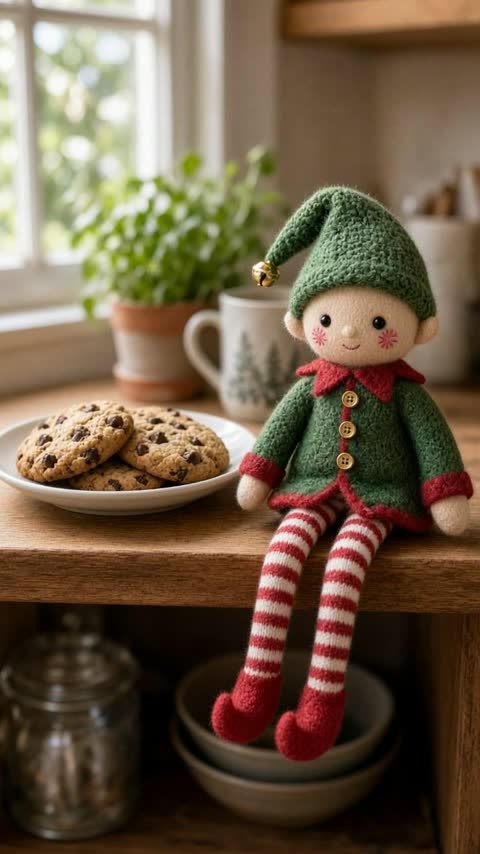
Take one photo of your family's elf doll where it sits this morning and get a 5-second clip of it coming to life: it blinks, steals a cookie, waves at your kids or tiptoes off the shelf, with a few bars of Jingle Bells playing. The room, the shelf and the doll stay as in your photo. Ready in a few minutes, $4.99 buys two HD videos, paid once. Not affiliated with The Elf on the Shelf.
- 1 photo
- 5s
- 9:16 MP4
- With music
- 480p / 720p
- Ready in minutes
- 10 credits
Why not free? Every video costs us real compute, so you pay first. If it fails, the credits come back on their own. No subscription, and your photos are deleted within 24 hours.
Trending effects
 AI Dance Generator
 AI Dance
 AI Kiss
 AI Cat Dance
 Hotel Lobby AI
 Tiny Desk AI
 AI Elf Dance
 AI Santa Video
 Photo With Santa
 AI Christmas Photo
 AI Thanksgiving Photo
 Couple Christmas Photo
 Day of the Dead
 Dog Christmas Photo
 Video From Santa
 AI Christmas Video
 Halloween Costume
 Santa Caught on Camera
 AI Hug
 Photo to Video
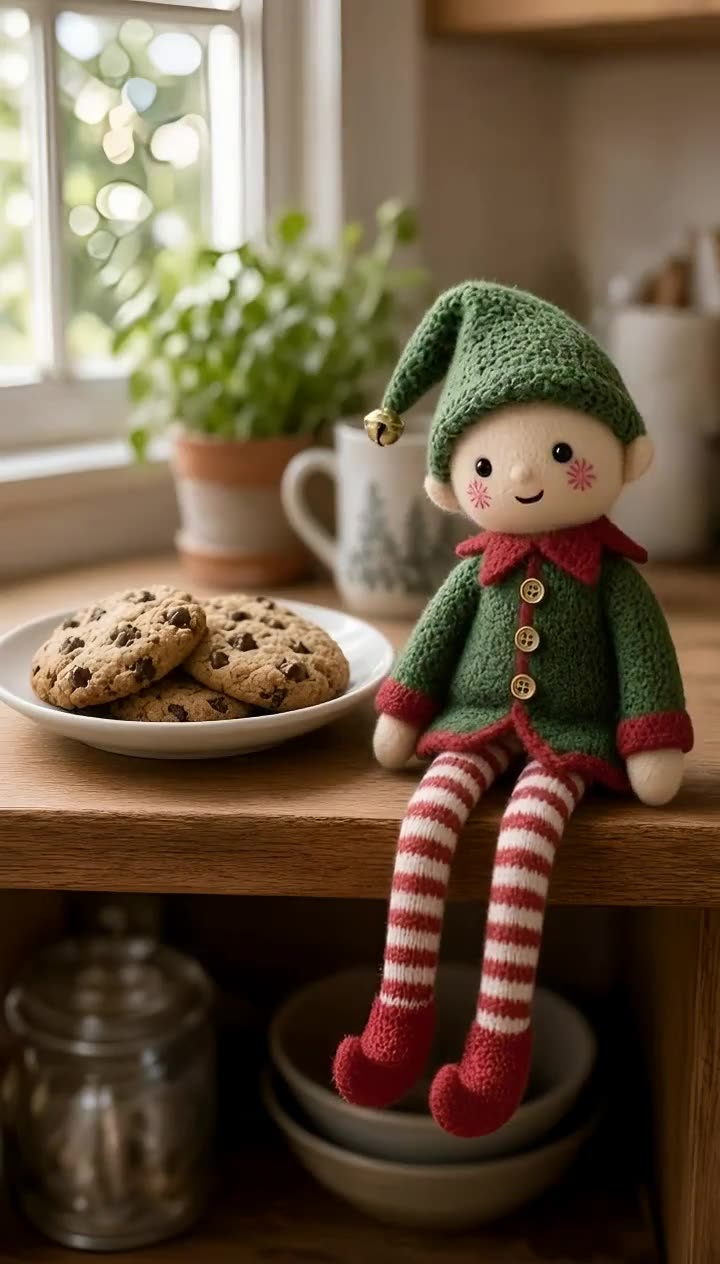 Talking Elf
 AI Muscle
 Wan 3.0
 Catwalk
 Seedance 2.5
 Dramatic Zoom
Examples made with this effect
How to make your Elf on the Shelf Video
Add your photo
A clear, well-lit photo with the whole body in view works best: people, pets or things. It is used only to check it and make your video, then deleted after a day.
Pay once
Pick a pack and pay with card, Apple Pay or Google Pay through Stripe. No subscription, no free tier to wait through.
Download your video
About 5 seconds of vertical video, ready to post. If it fails, your credits come back.
What is an Elf on the Shelf video?
From late November, the family elf turns up somewhere new every morning, and the kids want proof that it really moves. Elf-cam apps paste a stock cartoon elf over your photo. Here the elf is your own: you take one photo of the doll where it sits that morning, pick what it does, and get a 5-second clip of that same doll coming to life in your own room.
Three things it can do:
- Cookie thief. The elf looks around, grabs a cookie, takes a bite and freezes with crumbs on its face.
- Good morning wave. The elf looks straight at the camera, waves and puts a finger to its lips.
- Sneaks away. Night-time home camera look: the elf stretches, hops down and tiptoes out of the picture.
The shelf, the room and the doll stay as in your photo, which is what makes it believable at breakfast.
Want your elf to say something too? Talking Elf gives it a cheerful voice: type the message and the same doll says it out loud to your kids.
Tips for a better result
- Photograph the elf from the front, at its own height, with its face and arms clearly visible.
- Leave a little space around it: the clip only moves the doll, so it needs room to wave, reach or hop down.
- Good light helps. For the night-camera “Sneaks away” clip, a room lit by tree or fairy lights looks best.
- Put a real cookie, candy cane or tiny prop next to the elf: the AI uses what is in the photo.
- Make one clip each morning in the run-up to Christmas; one $9.90 pack covers five days in HD ($4.99 covers two).
Elf on the Shelf video vs elf-cam apps
| Elf-cam and elf video apps | memevid | |
|---|---|---|
| Which elf | A stock cartoon elf pasted onto your photo | Your family’s own doll, from your photo |
| Movement | The same few animations for everyone | The doll itself moves in your room |
| Price | Often in-app purchases or a subscription | $4.99 once for two HD clips, no subscription |
| Install | An app on your phone | Works in the browser |
Want Santa in the house too? Make a Santa caught on camera clip from a photo of your tree, or a personalized video from Santa where he talks to your child by name. For the grown-ups, Elf Yourself online puts your own face on a dancing elf.
Where the idea comes from
The Elf on the Shelf is a 2005 picture book with a doll, created by Carol Aebersold and Chanda Bell. The elf is a scout of Santa’s: kids may not touch it, and each morning it has moved somewhere new. Parents started staging scenes (cookie crumbs, flour angels, toilet-paper rolls) and sharing them every December, and “proof the elf moves” clips followed. This page makes that clip from your own doll instead of a stock cartoon.
Pet version
The family pet is usually the best witness. Put the elf where the dog or cat will find it, take the photo with the pet beside the shelf, and the doll is what moves. The pet stays as it sits in the picture, so keep it calm and in frame. If you want a pet that moves, make your cat the star on the AI cat dance video page.
How to make it
- Photograph the elf where it landed this morning, in front view with room around it.
- Pick what it does: steal a cookie, wave, or sneak away.
- Pay once and get a 5-second clip in a few minutes; make a new one each morning until Christmas.
The Elf on the Shelf is a trademark of its owner. memevid is not affiliated with or endorsed by it.
FAQ
What is an Elf on the Shelf video?
A short clip that shows your family's elf moving when nobody is looking. You photograph the elf where it sits that morning, and the AI brings the doll to life in your own room: it blinks, steals a cookie, waves at the camera or tiptoes off the shelf, then freezes again.
What photo should I upload?
A clear photo of your elf doll where it sits today, with a little of the shelf or room around it, taken in good light. Hold the phone upright (portrait). For the cookie clip, put a cookie next to the elf before you take the photo; if there is none, a small one is added.
Can I show it to my kids?
That is what it is for. Photos with children in them can't be used, so take the photo of the elf while the kids are elsewhere, then show them the clip at breakfast or send it to the family chat.
Is this the official Elf on the Shelf?
No. memevid is not affiliated with or endorsed by The Elf on the Shelf or its owners. You bring your own elf, whichever doll your family has; we only animate the photo you upload.
How much does it cost?
Videos use credits you buy once: $4.99 for 24, $9.90 for 50, $19.90 for 105 or $49 for 270. An HD (720p) video uses 10 credits and a quick 480p preview uses 5, so $9.90 makes five HD videos, enough for most of a week of elf mornings. No subscription and no automatic renewal.
Is there sound?
Yes: every clip comes with a few bars of Jingle Bells (our own recording of the old public-domain tune), so it is ready to show the kids or send to the family chat. The page also gives you a copy without sound if you'd rather add your own song in TikTok or Instagram.
Is there a free trial?
No. Each video costs us real compute, so you pay before it is made. If generation fails, the credits go back to your balance automatically.
Pricing
24 credits
$4.99
about 2 HD videos
$2.08 per video
50 credits
$9.90
about 5 HD videos
$1.98 per video
105 credits
$19.90
about 10 HD videos
$1.90 per video
270 credits
$49.00
about 27 HD videos
$1.81 per video
Paid once through Stripe. No subscription, no free trial. Failed videos give the credits back automatically. Credits do not expire. Refund policy
Prices include VAT where it applies; the price you see is what you pay.
Photo rules
Use photos of yourself, of public figures, or of people who agreed. Each effect uses our fixed prompt, so nobody can be made to say or do anything else. We reject photos of anyone who looks under 18, and explicit or violent photos, before you pay, and we never accept uploaded videos. Every result is AI-generated. Content policy