
MemeVid / Effects / Talking Elf
Talking Elf on the Shelf – Your Elf Says Good Morning
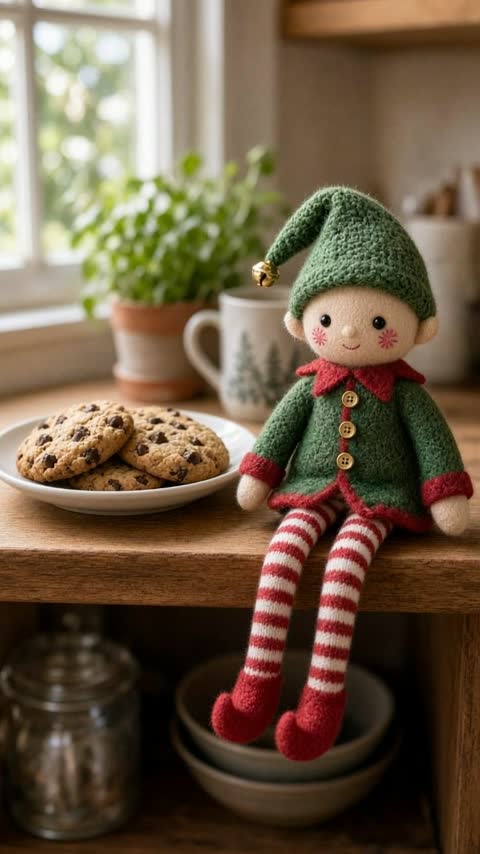
Photograph your family's elf doll in daylight, type what it should tell your kids, and get a short video of that same elf saying it out loud in a cheerful elf voice. The video has sound. Ready in a few minutes; $4.99 buys one, paid once. Not affiliated with The Elf on the Shelf.
- 1 photo
- 12s
- 9:16 MP4
- With sound
- 720p
- Ready in minutes
- 15 credits
Why not free? Every video costs us real compute, so you pay first. If it fails, the credits come back on their own. No subscription, and your photos are deleted within 24 hours.
Trending effects
 AI Dance Generator
 AI Dance
 AI Kiss
 AI Cat Dance
 Hotel Lobby AI
 Tiny Desk AI
 AI Elf Dance
 AI Santa Video
 Photo With Santa
 AI Christmas Photo
 AI Thanksgiving Photo
 Couple Christmas Photo
 Day of the Dead
 Dog Christmas Photo
 Video From Santa
 AI Christmas Video
 Halloween Costume
 Santa Caught on Camera
 AI Hug
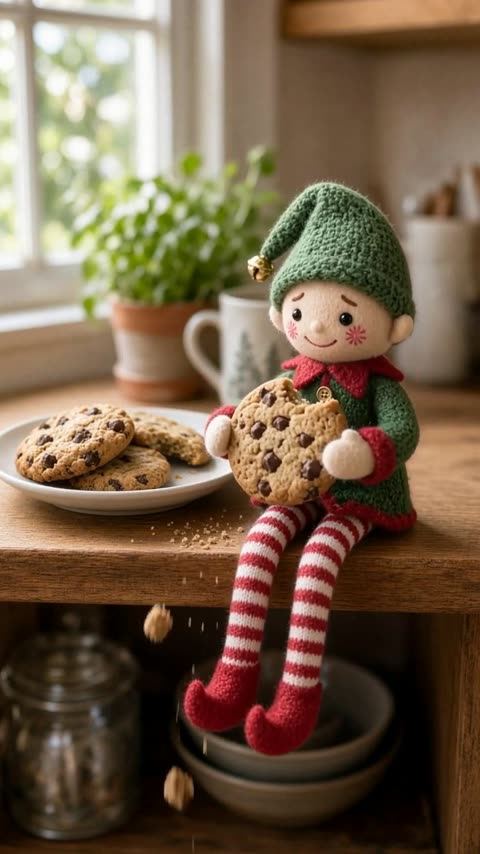 Elf on the Shelf Video
 Photo to Video
 AI Muscle
 Wan 3.0
 Catwalk
 Seedance 2.5
 Dramatic Zoom
Examples made with this effect
How to make your Talking Elf video
Add your photo
A clear, well-lit photo with the whole body in view works best: people, pets or things. It is used only to check it and make your video, then deleted after a day.
Pay once
Pick a pack and pay with card, Apple Pay or Google Pay through Stripe. No subscription, no free tier to wait through.
Download your video
About 12 seconds of lip-synced video, ready to post. If it fails, your credits come back.
Make your elf talk
Kids love catching the elf moving. Hearing it talk is even better. Take one photo of your family’s elf where it landed this morning, type a short message, and the elf says it out loud in a cheerful little voice, in your own room.
Ideas for what your elf can say
- Good morning. “Good morning Mia! I flew back from the North Pole last night and told Santa how kind you were.”
- Praise. “Leo, I saw you help your sister with her shoes. Santa is going to love hearing that!”
- A gentle reminder. “Remember, no touching me! And please brush your teeth tonight.”
- Countdown. “Only 10 more sleeps until Christmas! I can’t wait.”
Tips for a better result
- Take the photo in daylight (or a brightly lit room) and get close: the elf should fill the middle of the picture.
- Photograph the elf from the front, at its own height, with its face clearly visible.
- Short messages sound best: one or two sentences.
- Write the kids’ names the way they sound, so the elf says them right.
Where the idea comes from
The Elf on the Shelf began as a picture book and a doll, published in 2005 by Carol Aebersold and her daughter Chanda Bell. The story: a scout elf watches the family during the day, flies to the North Pole each night to report to Santa and lands somewhere new by morning. The rule that made it a game is that nobody may touch the elf, or its magic fades. Parents have been posting the elf’s daily hiding spots ever since; a talking elf is the next step, because the one thing the doll never does is speak.
Pet version
Give the elf a message for the pet. Type something like “Biscuit, I saw you sneak the sock again. Santa says you are on the nice list anyway!” and the elf says it out loud. Photograph the elf in daylight as usual; if the dog or cat is in the shot it stays as in your photo, and the elf is the one that talks.
How to make it
- Take one photo of the elf in daylight, from the front, filling the middle of the picture.
- Type one or two short sentences, with the kids’ names spelled the way they sound.
- Pay once and get a short video with sound in a few minutes. Play it at breakfast.
FAQ
What is a talking Elf on the Shelf video?
A short video of your family's own elf talking to your kids. You photograph the elf where it sits today and type what it should say; the AI gives the doll a cheerful elf voice and moves its mouth and head while it talks, in your own room.
Does the video have sound?
Yes, the elf's voice. It says your message out loud, a little longer than 10 seconds.
What should I type?
What the elf should tell your kids, up to 160 characters, for example "Good morning Emma and Leo! I saw you share your toys yesterday. Be kind today!". The elf keeps close to your words and the names you give; it never adds a last name, a school or a promise of a particular present.
What photo should I upload?
A daylight photo of the elf doll from the front, its face to the camera and the doll in the middle of the picture, like a morning photo of where it landed. Dark or night-time photos, or an elf that is small in a wide shot, can come out with stray letters on the video, so take the photo in daylight and close enough. Photos with children in them can't be used, so take it while the kids are elsewhere.
Is this the official Elf on the Shelf?
No. memevid is not affiliated with or endorsed by The Elf on the Shelf or its owners. You bring your own elf, whichever doll your family has; we only animate the photo you upload.
How much does it cost?
A talking elf video uses 15 credits. Credits are bought once: $4.99 for 24, $9.90 for 50, $19.90 for 105 or $49 for 270. No subscription and no automatic renewal. If it fails, the credits go back to your balance automatically.
Pricing
24 credits
$4.99
about 1 HD video
$3.12 per video
50 credits
$9.90
about 3 HD videos
$2.97 per video
105 credits
$19.90
about 7 HD videos
$2.84 per video
270 credits
$49.00
about 18 HD videos
$2.72 per video
Paid once through Stripe. No subscription, no free trial. Failed videos give the credits back automatically. Credits do not expire. Refund policy
Prices include VAT where it applies; the price you see is what you pay.
Photo rules
Use photos of yourself, of public figures, or of people who agreed. Each effect uses our fixed prompt, so nobody can be made to say or do anything else. We reject photos of anyone who looks under 18, and explicit or violent photos, before you pay, and we never accept uploaded videos. Every result is AI-generated. Content policy